Getting started with UWU
Guide to starting work as a sex worker
Registration on the UWU platform
Go to the registration page on UWU
Select your role "Employee".
You can register using Telegram or Email
Choose your username. (It will later be used for the link to your account (uwu.nl/nickname), so choose carefully.)
Congratulations, you are registered!
Fill out your profile
After registration, fill out your profile by providing information about yourself: description, services, tariffs, photos, and videos. You can also add your rules and limitations for clients.
Profile management tips
Profile verification
UWU requires mandatory profile verification. To complete it, you will need to record a short video where your face is visible, along with a code written on a piece of paper, which you will need to say out loud.
How to pass verification and why it is necessary?
Notification settings
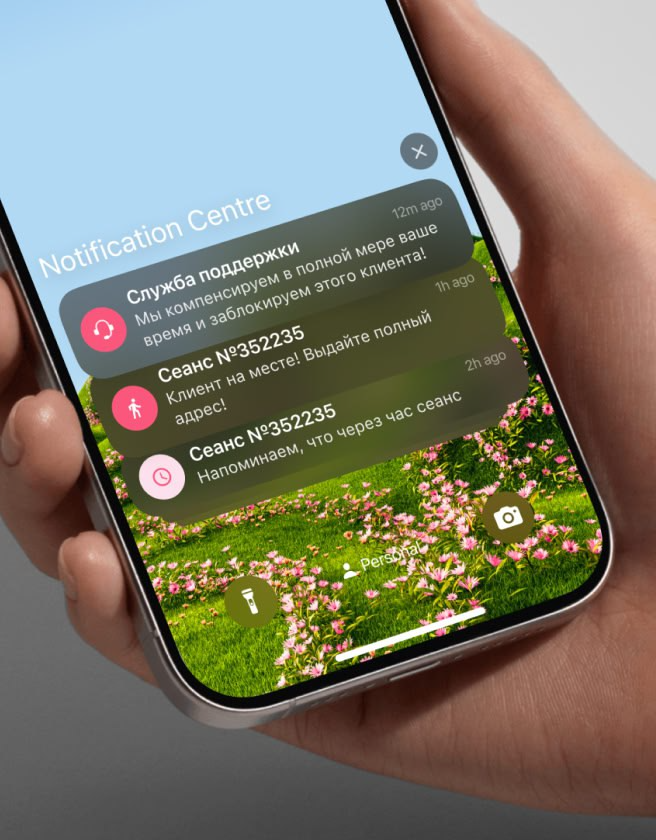
You need to install the app according to this instruction, set up notifications, and make sure they are coming through correctly.
You can download the web app to your phone, and you will receive notifications just like from a regular app.
To test the notifications, there is a "Check Notification" button on the "Notification Settings" page.
You will receive notifications about new sessions, messages from clients, and other important events.
More about notification settings:
Setting up online booking
The platform allows clients to book time through the online booking system. You need to set up "direct payment acceptance".
More about "client rating"
Setting up work schedule
Determine when and at what hours you are available to work. Set up your schedule to be convenient for you. Clients will be able to book time only during your available hours. You can change it at any time.
Recommendations for setting up your work schedule
Setting up Telegram and WhatsApp
Link your messengers (Telegram and WhatsApp) to your profile on the platform for easier communication with clients. You will receive messages directly on your phones and be able to respond to requests more quickly.
Recommendations for setting up Telegram and WhatsApp.
Accept clients through automated online booking
When your profile is set up, clients will be able to book an appointment with you through the automated system. You just need to confirm the booking, and the system will send a notification when the client arrives. This simplifies the process and saves your time.
Additional information
We strongly recommend reading
"Frequently Asked Questions for Employees (FAQ)"
Terms of work, shift costs, and promotion
UWU Rules
Recommendations for profile management and service
Be sure to subscribe to our closed Telegram channel for verified employees!
Last updated